How to Let AI Agents and n8n Send SMS for Your Business (2026 Guide)
Automation
How to Let AI Agents and n8n Send SMS for Your Business (2026 Guide): direct answer
How to Let AI Agents and n8n Send SMS for Your Business (2026 Guide) is a FlixySMS guide about automation for teams that use Android phones, WhatsApp devices, or REST APIs to manage customer messaging.
Key facts
- AI agents went mainstream in 2026 — and the most useful thing most of them can do for a small business is text somebody. Here is the architecture that works: your agent or n8n workflow calls a REST API, and your own Android phone delivers the message.
- The reading time is 6 minutes, so the guide is designed for quick implementation research.
- Related tags include Automation, sms api, ai agents.
- The article is connected to FlixySMS structured Article JSON-LD, canonical metadata, and internal related-post discovery.
- This guide was published on November 9, 2026 and has an estimated 6-minute reading time.
Process
- 1First, identify the exact messaging workflow the article addresses.
- 2Next, compare the workflow against FlixySMS device, API, integration, and plan requirements.
- 3Then, run a small test send or received-message test before scaling the workflow.
- 4Finally, track delivery, replies, and failures from the dashboard or API.
AI agents went mainstream in 2026 — and the most useful thing most of them can do for a small business is text somebody. Here is the architecture that works: your agent or n8n workflow calls a REST API, and your own Android phone delivers the message.
TL;DR
In 2026, AI agents and workflow tools like n8n (which shipped its own Agents in September 2026) can plan and draft messages — but they still need a delivery channel. The pattern that works: the agent or workflow calls the FlixySMS REST API (POST /api/v1/sms/send for one message, /api/v1/sms/bulk for up to 100 recipients), and a paired Android phone delivers the SMS from your own number. Inbound replies come back through the native n8n webhook integration, so you can build two-way chatbots with branching logic. Keep agents on rails: templates instead of freestyle copy, approval steps before bulk sends, and logs of everything sent.
AI agents stopped being a demo in 2026: n8n shipped its own Agents in September, MCP became the standard way assistants call outside tools, and platforms from Zapier to Claude now trigger multi-step workflows from a sentence. But an agent that cannot reach your customers is just a very smart intern locked in a room. The most practical delivery channel is still the text message — and the architecture that works for a small business is simple: your agent or workflow calls a REST API, and your own Android phone sends the SMS. This guide wires that up end to end with FlixySMS: the API calls, the native n8n integration for two-way chat, five automations worth shipping this quarter, and the guardrails that keep an autonomous sender out of trouble.
Why agents started texting in 2026
Three things converged. First, the orchestration layer matured: n8n's September 2026 Agents release lets you describe what an agent should do and hand it tools and workflows, and its first-party MCP server means any MCP-capable assistant can build and run workflows conversationally. Second, the guardrail pattern settled: the industry consensus is now “deterministic workflows own the risky actions, the agent decides when to invoke them” — which is exactly how you should treat messaging. Third, SMS kept its crown for attention: no app install, no inbox algorithm, read within minutes. When an automation needs a human to act — confirm an appointment, approve a deploy, recover a cart — a text is still the shortest path.
The architecture that works
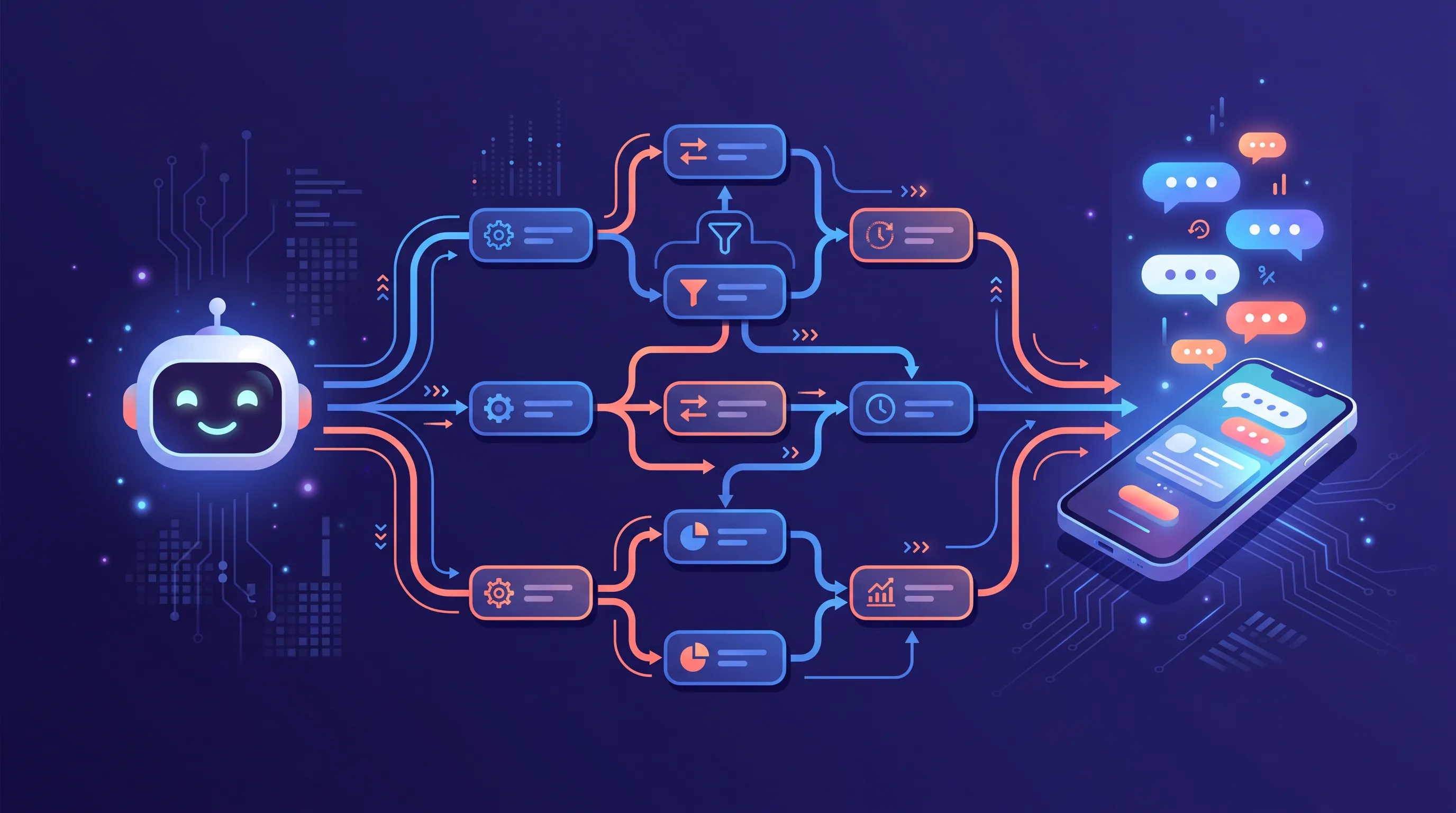
Every reliable agent-to-SMS setup we see follows the same shape:
- Trigger: a store event, a schedule, an inbound message, or an agent's own decision.
- Logic: your workflow tool or agent decides who to text and fills a message template.
- Delivery: one HTTP call to the FlixySMS API; your paired Android phone sends the SMS from your real number on your existing plan.
- Feedback: replies arrive on the same number and flow back into your automation through the n8n webhook integration or the received-messages API.
The part that surprises people is the delivery layer. Routing through your own phone instead of a rented virtual number means recipients see a number they recognize and can answer, there is no carrier registration project before your first send, and the cost is a flat plan rather than a per-message meter — the same reasons it works for bulk marketing apply double for automations that send at 3 AM.
Send your first SMS from code in two minutes
Create an API key in the dashboard (keys are scoped — give an automation only the sms:send permission it needs), then:
curl -X POST https://www.flixysms.com/api/v1/sms/send \
  -H "Authorization: Bearer YOUR_API_KEY" \
  -H "Content-Type: application/json" \
  -d '{
    "to": "+15551234567",
    "message": "Reminder: your appointment is tomorrow at 2 PM. Reply C to confirm.",
    "device_id": "your-device-id"
  }'
Fan-out goes through the bulk endpoint — up to 100 recipients per request, with invalid numbers reported back instead of silently dropped:
curl -X POST https://www.flixysms.com/api/v1/sms/bulk \
  -H "Authorization: Bearer YOUR_API_KEY" \
  -H "Content-Type: application/json" \
  -d '{
    "recipients": ["+15551234567", "+15559876543"],
    "message": "Flash sale ends tonight: https://yourstore.com/sale",
    "device_id": "your-device-id"
  }'
Two details your automation should respect: every response includes X-RateLimit-Limit and X-RateLimit-Remaining headers (back off when remaining hits zero instead of retrying blind), and messages are handed to your device in small batches with configurable delays between sends. That pacing is deliberate — it is what keeps a high-volume automation from making your number look like a spam cannon to carriers.
Wire it into n8n: a two-way chatbot without a server
Outbound is any HTTP Request node pointed at the API above. The interesting direction is inbound, and FlixySMS ships a native n8n integration for it:
- In n8n: create a workflow starting with a Webhook node (method POST), and copy its production URL.
- In FlixySMS: go to Dashboard → Integrations, add an n8n Workflow integration, paste the webhook URL, optionally set a Bearer auth header, and choose which devices trigger it. Timeout and retries are configurable (30 seconds and 3 attempts by default).
- In the payload: every incoming SMS now hits your webhook with the message content, sender, conversation ID and device ID — everything a bot needs for context.
- Reply: your workflow answers through the integration's reply endpoint (or the send API), and the response goes out from the same number the customer texted.
A Switch node turns that into a menu bot in about ten minutes: “hi” gets the menu, “1” routes to sales, “2” to support, anything else gets a fallback — and because n8n's new agent nodes can sit behind the switch, the fallback branch can be an actual AI answer instead of “sorry, I didn't understand.” Keep the agent on the branches where judgment helps and the deterministic nodes everywhere money or commitments move.
Five automations worth shipping this quarter
- Abandoned-cart recovery. Store webhook → wait 45 minutes → check order status → one templated text with the cart link. The classic, because it pays for everything else.
- Appointment reminders with confirmation. Calendar trigger → reminder text the evening before → webhook catches “C” replies and marks the booking confirmed. No-show rates drop immediately.
- Build and incident alerts. CI webhook → filter for failures → text the on-call phone. A text beats a Slack ping at 2 AM, and your own number never gets rate-limited.
- Review requests after delivery. Shipping-status trigger → three days later, one polite ask with the review link — sent only to customers whose order had no support ticket.
- Inbound triage. The webhook integration classifies incoming texts (order question, complaint, sales lead), answers the easy ones from your FAQ, and forwards the rest to a human with context attached. Pair it with the built-in auto-responder for after-hours coverage.
Guardrails: letting an agent text without losing sleep
- Templates, not freestyle. The agent fills slots (name, time, link) in copy you approved; it does not invent marketing claims at runtime.
- Approval gates on bulk. Single transactional texts can flow; anything calling the bulk endpoint waits for a human click. n8n's own guidance says the same: keep approvals on sensitive steps.
- Least-privilege keys. One API key per automation, scoped to the permissions it needs, revocable without touching anything else.
- Log every send. The dashboard keeps the history; your workflow should keep its own reasoning trail too, so “why did it text this person” always has an answer.
- Compliance is not optional for robots. Opt-in lists only, STOP honored instantly, quiet hours respected per time zone — an automated sender is held to the same TCPA rules as a human one.
Plans, limits, and where to start
API access is included on every paid FlixySMS plan, from Starter upward — including the one-time lifetime team plans — so the whole stack above runs on a flat price: your phone delivers, the API orchestrates, n8n decides. Pair a device, create a scoped key, and ship the abandoned-cart flow first; it is twenty minutes of work and it will fund the rest of your automation roadmap. When you are ready for the WhatsApp side of the same setup, the secure campaigns guide covers both channels through one API.
Frequently Asked Questions
Can an AI agent like Claude or ChatGPT send SMS messages?+
Not by itself — language models cannot open network connections to phones. An agent sends SMS by calling a tool or API. With FlixySMS, the agent (or the workflow platform hosting it) makes an HTTP POST to /api/v1/sms/send with a Bearer API key, and a paired Android phone delivers the message from your own number.
Does n8n work with FlixySMS?+
Yes, natively in both directions. Outbound: any HTTP Request node can call the FlixySMS REST API. Inbound: FlixySMS has a built-in n8n integration (Dashboard → Integrations → n8n Workflow) that forwards incoming messages to your n8n webhook with the message, conversation, and device context, and a reply endpoint your workflow calls to answer — enough to build a full menu-based chatbot without writing a server.
What are the FlixySMS API rate limits for automated sends?+
Bulk requests accept up to 100 recipients each, and every response carries X-RateLimit-Limit and X-RateLimit-Remaining headers so your workflow can back off cleanly. Messages are handed to your device in small batches with configurable delays between sends — pacing that protects your number from carrier spam filtering.
How do I receive SMS replies in my automation?+
Two ways: configure the n8n integration so every incoming message on selected devices triggers your webhook in real time, or poll GET /api/v1/messages/received from any scheduler. The webhook route is the right one for chatbots; polling suits daily digests and CRM syncs.
Is it safe to let an AI agent send texts to customers?+
It is safe the way you make it safe: have the agent fill slots in pre-approved templates rather than write free-form copy, require a human approval step before any bulk send, log every message, and never let an agent text anyone who has not opted in. Quiet hours and STOP handling apply to automated messages exactly as they do to manual ones.
Related Tools
FlixySMS REST API
Send single or bulk SMS from any script, agent, or workflow tool with one HTTP call.
FlixySMS Integrations
Native n8n webhook integration for two-way chatbots and inbound message routing.
n8n
The workflow automation platform — self-hosted or cloud — that pairs naturally with the FlixySMS API.